Top 10 Stacked Monitor Mount
Last update: 15-07-2026
Best Monitor Accessories overall →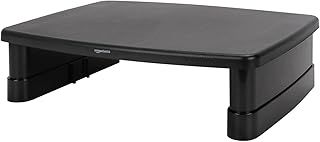
Stacked Monitor Mount: 4 things to consider before buying
Choose a true dual mount, not a single riser
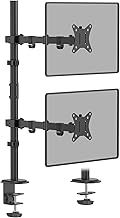
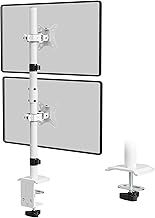
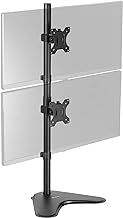
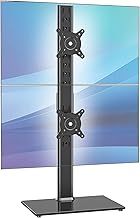
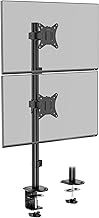
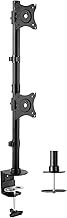
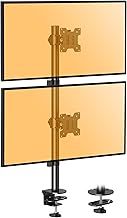
For stacking two screens vertically, pick a dedicated dual mount like the VIVO STAND-V002 series, HUANUO or VonHaus. The top-listed Amazon Basics riser is a single-screen desk riser, not a stacked two-monitor mount, so it won't hold two screens one above the other.
Check size, weight and VESA together
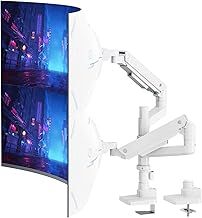
Match your monitors' diagonal (13-32in on the HUANUO and VonHaus, up to 34in on the VIVO, up to 49in on the PUTORSEN) and their weight to the mount's rating. Confirm the mount's VESA plate (usually 75x75 or 100x100mm) fits your screens, and leave headroom on weight.
Decide freestanding or clamp fixing
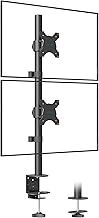
Freestanding base stands like the VIVO STAND-V002 need no clamping, ideal for glass desks or rentals. Clamp or grommet mounts such as the VonHaus and BONTEC grip the desk edge to free up more surface. Choose based on your desk type and whether you can drill or clamp.
Match adjustment to how you work
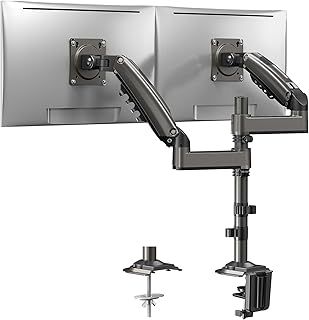
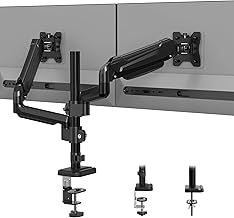
Tilt-only stands like the ELIVED are fine for a set-and-forget setup. For angling each screen or rotating one to portrait, choose full tilt-swivel-rotate models like the HUANUO or VonHaus. Gas-spring arms, as on the BONTEC, let you reposition heavy screens one-handed.
Frequently Asked Questions
What is the best stacked monitor mount?
How do I stack two monitors vertically?
Will a stacked monitor mount fit my screens?
Do I need a freestanding or clamp-on stacked mount?
Can I rotate a screen to portrait on a stacked mount?
Your complete guide to Stacked Monitor Mount
What a stacked (vertical) monitor mount does
A stacked monitor mount holds two screens one above the other, in a top-and-bottom vertical array, rather than side by side. It suits traders, coders, editors and anyone who wants a wide primary screen at eye level with a second one below or above it, all on a single support that frees up desk width. Most models in this ranking are true dual vertical mounts, including the VIVO STAND-V002 series, the HUANUO dual mount and the VonHaus vertical double stand. Note that the top-ranked entry, the Amazon Basics riser, is a single-screen desk riser rather than a stacked two-monitor mount, so if you specifically want to stack two screens, look to the dedicated dual mounts further down the list.
Screen size and weight limits
Match the mount to your monitors' size and weight, as these vary across the list. Many here handle 13 to 32-inch screens, such as the HUANUO and VonHaus, while the ultrawide-focused VIVO stands take screens up to 34 inches and the PUTORSEN heavy-duty arm spans 17 to 49 inches for very large panels. Weight capacity matters just as much: the HUANUO holds 2-9kg per setup, the ELIVED up to 8kg, and the PUTORSEN up to 44lb (about 20kg) for heavy ultrawides. Check both your monitors' diagonal size and their weight, including the panel without its original stand, against the mount's rating before buying, and leave some headroom rather than loading it to the limit.
VESA fit and how it attaches to the desk
Two compatibility points decide whether a mount will work with your kit. First, VESA: the mount's plate must match the hole pattern on the back of your monitor, and most models here support the two common sizes, 75 x 75mm and 100 x 100mm, including the AX WABER, VonHaus and BONTEC. Check your monitor's VESA spec, and note that some slim or curved screens need a VESA adapter. Second, how it fixes to the desk: freestanding base mounts like the VIVO STAND-V002 sit on the desktop and need no clamping, which suits glass desks or rented spaces, while clamp or grommet mounts like the VonHaus and BONTEC grip the desk edge to save surface space. Choose freestanding if you cannot clamp, or a clamp for maximum desk clearance.
Adjustment: tilt, swivel, rotate and gas-spring arms
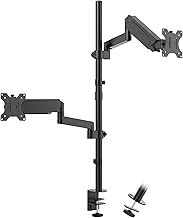
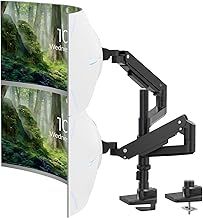
How much the mount moves affects daily comfort. Simpler stacked stands offer tilt only, like the VIVO STAND-V002T and ELIVED, which is enough if you set the screens once and leave them. Fuller articulation, with tilt, swivel and rotation as on the HUANUO, VonHaus and BONTEC, lets you angle each screen independently and rotate a monitor to portrait, useful for long documents or code. Gas-spring arms, as on the BONTEC dual mount, let you reposition heavy screens with one hand and float them at any height, which is the most flexible but usually the priciest option. Rotation to portrait is worth having if you read or write long content on the secondary screen.
Cable management, assembly and how we ranked
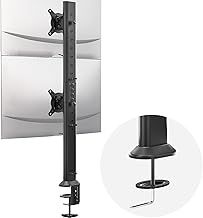
Practical details make a stacked setup tidy and stable. Cable management channels or clips, offered on the BONTEC, keep the leads from two stacked screens from tangling behind the desk. Height-adjustable poles, as on the ELIVED 806mm tall pole and the VIVO STAND-V002R, let you set the gap between the two monitors so the join sits comfortably. Our order reflects real Amazon signals: the HUANUO dual mount carries over 9,700 reviews at 4.6 stars, and the VIVO STAND-V002L more than 2,900 at the same rating, making them the most proven true stacked mounts here. High review counts at 4.5 stars and above are a good sign the mount stays rigid under two screens. Before buying, confirm your monitors' size, weight and VESA fit, and whether you need freestanding or clamp fixing.
![Heavy Duty Extension Arm [Accessory Only - Requires MA20PW-S Single Monitor Arm for Use] Dual 49" Vertical Stacked Monitor Mount Height Adjustable - 100x100 VESA Mount, White, MA20PW-A](https://img.smarterfinder.com/product/l/Gnt1Tp19dT.jpg)