Top 10 White Monitor Arm
Last update: 15-07-2026
Best Monitor Arms overall →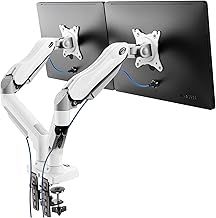
White Monitor Arm: 4 things to consider before buying
Choose single or dual for your setup
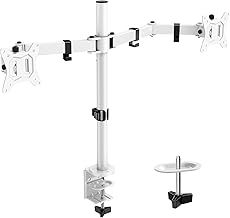
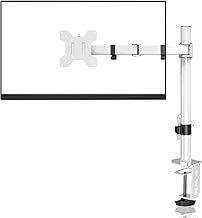
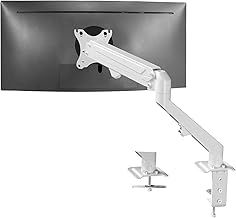
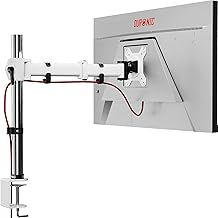
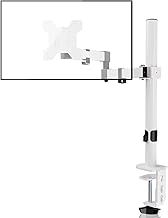
A single white arm like the suptek or Duronic frees desk space for one screen; a dual arm like the HUANUO, BONTEC or ErGear holds two side by side for multitasking. If you may add a second screen later, a dual arm saves buying twice.
Check size, weight and VESA together
Match your monitor's diagonal (13-27in on the BONTEC and Duronic, up to 32-34in on the HUANUO and ErGear) and its weight without the stand to the arm's rating, such as 8-10kg here. Confirm the arm's VESA plate (75x75 or 100x100mm) fits your screen.
Pick gas-spring if you adjust often
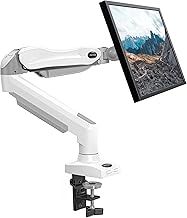
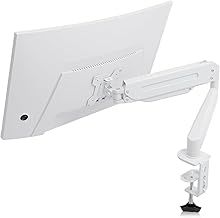
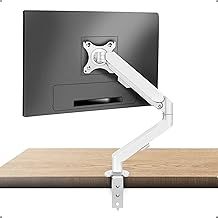
A gas-spring arm like the suptek or VIVO lets you move the screen one-handed and float it at any height, ideal for sit-stand or sharing. A fixed-height arm like the ErGear or HUANUO dual sets once and stays, which is cheaper if you rarely reposition.
Confirm the mount suits your desk
Most arms offer a C-clamp for the desk edge or a grommet mount through a hole, as on the suptek gas-spring and Bracwiser. Check your desk thickness fits the clamp, and value built-in cable management to hide dark leads on a white setup.
Frequently Asked Questions
What is the best white monitor arm?
Will a white monitor arm fit my monitor?
What is the difference between a gas-spring and a fixed monitor arm?
How do white monitor arms attach to a desk?
Can I rotate a monitor to portrait on these arms?
Your complete guide to White Monitor Arm
Single or dual white monitor arm?
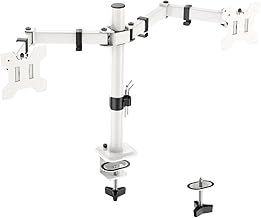
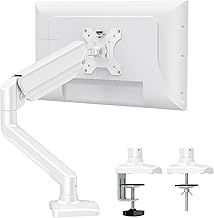
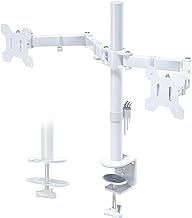
The first decision is how many screens you are mounting, and this ranking covers both. A single arm holds one monitor and frees the desk space its stand would take, like the suptek, Duronic and VIVO single arms here. A dual arm holds two side by side on one mount, such as the HUANUO, BONTEC and ErGear dual arms, which is ideal for multitasking, coding or trading. All of these are white, so they blend into a light-coloured desk setup rather than standing out like a black arm. If you currently use one screen but plan to add a second, a dual arm saves buying twice; if one screen is enough, a single arm is simpler and cheaper.
Screen size, weight and VESA fit
Match the arm to your monitor's size, weight and mounting holes. The arms here suit a range of sizes: many handle 13 to 27 inches, like the BONTEC and Duronic, while others take up to 32 or even 34 inches, such as the HUANUO and ErGear. Weight capacity matters just as much: the ErGear holds up to 8kg per arm, the suptek single arm up to 10kg, and the Bracwiser up to 10kg. Check your monitor's weight without its original stand against the arm's rating. For VESA, the mounting-hole pattern must match; most arms here support the two common sizes, 75 x 75mm and 100 x 100mm, but confirm your screen's VESA spec, as some slim or curved monitors need an adapter.
Gas spring or fixed-position arm
How the arm holds and moves the screen shapes daily use. A gas-spring (pneumatic) arm, like the suptek gas-spring and the VIVO pneumatic models, lets you reposition the monitor with one hand and float it at any height, which is the most flexible for switching between sitting, standing or sharing your screen. A fixed or manually adjustable arm, such as the ErGear and HUANUO dual, sets to a height and angle and stays there, which is fine if you rarely move the screen and usually costs less. If you adjust your monitor often through the day, a gas-spring arm is worth the extra; if you set it once and leave it, a fixed-height arm does the job.
Movement, mounting and cable tidiness
Check the range of movement and how the arm fixes to the desk. Full articulation, listed as tilt, swivel and rotate, lets you angle the screen and turn it to portrait for reading or coding; the HUANUO, BONTEC and ErGear all offer this. For fixing, most arms give two options, a C-clamp that grips the desk edge or a grommet mount through a hole, as on the suptek gas-spring and Bracwiser, so you can pick what suits your desk. Built-in cable management, common on these arms, routes leads along the arm for a tidy look, which matters more on a white setup where dark cables show. Confirm your desk thickness suits the clamp before buying.
How we ranked and choosing the right arm
Our order reflects real Amazon signals rather than opinion. The BONTEC dual arm carries over 35,000 reviews at 4.5 stars, the ErGear dual more than 19,500, and the HUANUO single and dual arms over 13,000 and 10,000 respectively, making them the most proven white arms here. High review counts at 4.4 stars and above are a good sign an arm holds a screen steady without drooping over time. To choose, decide between a single or dual arm, match the size, weight and VESA to your monitors, pick a gas-spring arm if you reposition often or a fixed one if not, and confirm the clamp or grommet mount suits your desk. A white finish keeps a light desk setup looking clean and coordinated.